







32Red Casino Sign Up Process – How to Create an Account Step by Step
This guide explains the full 32Red Casino sign up process from start to finish, including what to do at each step, what happens after your account is created, and why certain details matter later. The journey is organised into clear steps, which makes it easier to follow and reduces the chance of missing a required field. Accuracy is essential, because the information you enter can be used for security checks, verification, and account access. Below you will find a step-by-step walkthrough, plus common issues and quick fixes to help you complete the 32Red register process smoothly.
Step-by-Step Guide to Signing Up at 32Red Casino
Most users complete registration in two stages. First, you set up the core profile with name, date of birth, email, and password. Then you add address and phone details, choose marketing options, and accept the terms.
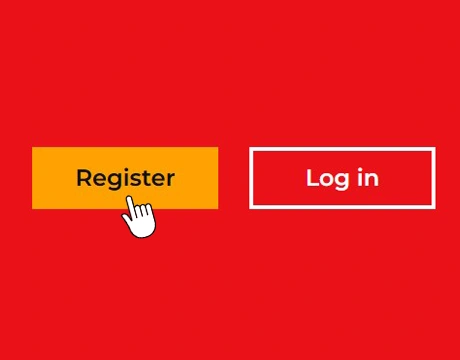
Creating a New 32Red Casino Account
Open the official site and select the Register button. The first page is titled “Create your account” and includes a progress indicator, which helps with staying oriented during the process. If you are a new casino user, skim any bonus notes shown on the page. 32Red sign up offer information is shown near the top of the registration panel.
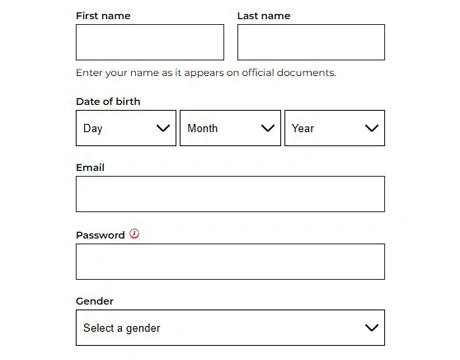
Entering Personal and Account Details
Enter your first name and last name exactly as they appear on your documents, then choose your date of birth from the day, month, and year drop-downs. In our experience with document-matching rules, name differences can cause delays later. Add your email address, create a strong password that you will use for Red 32 casino login in the future, select your gender, and press Continue.
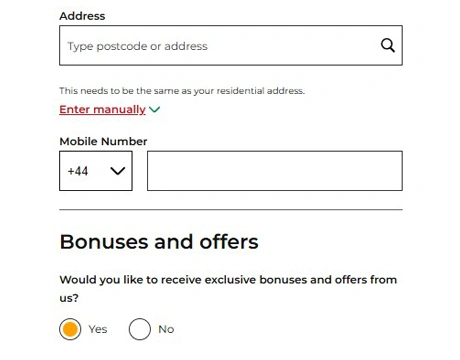
Setting Your Address and Communication Preferences
Next, you fill in your address details and mobile number, including postcode and city. The form lets you search by postcode or address, and if that does not work, you can switch to manual entry. From our hands-on testing, manual input is the easiest option for flats, new builds, or uncommon address layouts. You can then choose whether you want bonuses and offers, select your interests, and pick how you prefer to receive updates, such as email or SMS.
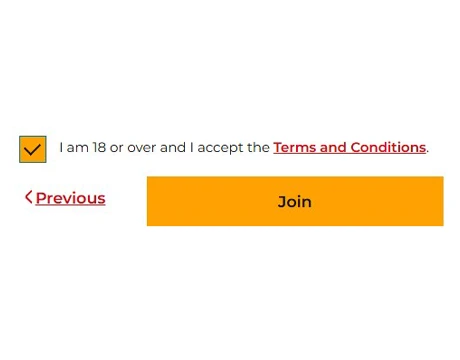
Finalising Your Registration
Tick the box to confirm you are 18 or over and that you accept the terms and conditions, then press Join to complete your registration. After submission, your session is created automatically, so there is no need to sign in again right away. In our experience, it is still worth double-checking key fields like your postcode and country before you finish, since these are easy to mistype and can affect future transactions. If you later want to access your account from another device, you will need to use the 32Red login form with the email and password you registered.
Different Ways to Register at 32Red Casino
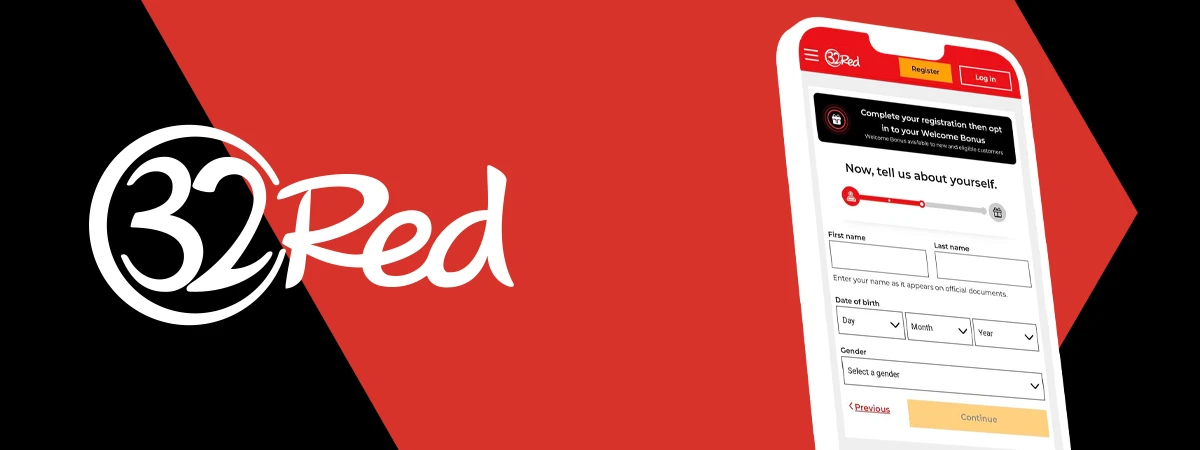
You can register on a desktop computer, through the mobile version of the website, or by using the official 32Red app. The required details are the same across all options, while the mobile and app experience is designed for smaller screens with touch-friendly controls and straightforward navigation.
Registering via iOS and Android
You can complete mobile registration either in your browser or through an app, depending on your device. Below are the main options you will see:
- Mobile adaptive site: Open the website in your phone browser and follow the standard registration steps.
- iOS app: Download the official app from the App Store and register directly in the app.
- Android app: Get the app from the official site, install it, and then complete registration inside the app.
If you already have an account, you can fill out the 32 Red login form on your mobile device to access it.
What Happens After You Sign Up at 32Red Casino
After registration at 32Red, you can complete the 32Red games login, enter the lobby, and explore the game categories. Here is what this looks like:
First Login and Account Overview
After you finish registration, you will typically be signed in automatically. When you return later, use the 32Red casino login to access your profile and open your account area. This section is where you check your saved information, update contact settings, change your password, and manage responsible gaming options. If you are signing in from a different device, you can also use the Red 32 login to enter the same details and reach the same dashboard.
Accessing Games and Casino Features
Once you are inside the casino lobby, you can browse game categories from the top menu, use the search bar to find specific titles, and open game pages directly from the tiles. Slots, live tables, jackpots, and featured releases are grouped into clear sections, so it is easy to jump to what you want and start playing. If you switch devices or your session expires, simply return to the site and use the 32Red slots login form to get back into your account and continue from where you left off.
Account Verification After Registration

At 32Red, verification is a mandatory step that confirms your identity and address. It helps keep accounts secure and ensures player details are recorded correctly. The verification area is split into separate upload sections, so you can submit each required document and track what is still pending. If you are logged out before you finish, you can return later and continue the process using the 32 Red casino login form.
Documents Needed for 32Red Casino Verification
When you reach the verification stage at 32Red, you will need to upload documents that prove your identity and confirm your residential address. To avoid delays, use clear, full-page images with all corners visible and text that can be read easily. Accepted documents include:
- Valid passport: A clear image of the photo page showing your details.
- Driving licence: A sharp photo of the licence with your name and date of birth visible.
- Government-issued ID: An official ID showing your full name and photo.
- Bank statement: A recent statement that shows your name and address.
- Utility bill: A recent bill that displays your name and residential address.
- Government letter: Official correspondence, such as a tax-related letter showing your address.
Based on our research, proof of address must be current within the last three months.
How Long Does the Verification Process Take?
At 32Red, verification is reviewed after you submit the required documents. In many cases, the review can take one to three business days, but it can take longer if the uploaded images are unclear or the information does not match your account details. Based on our experience, the most common issues are cropped photos, expired identification, and address differences between the document and your profile. If you are asked to submit files again, upload fresh images and make sure the details match so you can verify your account without further delays.
Common Sign Up Issues and How to Fix Them
When registering at 32Red, most problems are caused by small input errors or skipped steps during the form. From our experience reviewing sign up flows, a quick check of your details before you move forward often prevents the same issues. Below are the most common registration obstacles and the simplest ways to resolve them.
Problems with Email Confirmation
At 32Red, you do not need to complete a separate email confirmation step to start using your account, but you should still enter your email address correctly during registration. You will receive a message confirming that your account has been created, and the same email address is used if you ever need to reset your password. If nothing arrives, check your spam or promotions folders and confirm you did not mistype the address. If you later cannot access your profile, you can return and use the 32Red login UK option, then choose the password reset if needed.
Age and Location Restrictions
32Red only accepts registrations from players who meet the legal age requirement and are located in eligible jurisdictions. If you cannot proceed during sign up, double-check that your date of birth is entered correctly. On mobile devices, it is easy to choose the wrong value in drop-down menus, so scroll carefully before you submit. If the system flags your address, switch to manual entry and make sure the postcode and city follow the official format for your area, since incorrect address data can create issues later during verification and payments.
FAQs About 32Red Casino Registration
How long does it take to sign up at 32Red Casino?
Usually, it takes a few minutes. In our experience, the address lookup step is the only part that sometimes adds time.
Is the 32Red Casino sign up process free?
Yes, registration is free. You only spend money if you choose to deposit to play.
Can I create more than one 32Red Casino account?
No, only one account per person is allowed. Use password reset tools if you cannot access your profile.
Do I need to verify my account immediately after signing up?
You do not have to complete verification the moment you sign up, but it is a mandatory step. If you leave it for later, you can run into delays when you try to use certain account functions.
Can I register at 32Red Casino from my mobile phone?
Yes, you can register on mobile through the site or an app. A stable connection helps prevent form timeouts.
Why was my 32Red Casino registration rejected?
Common reasons include incorrect details, age checks, duplicate accounts, or location restrictions. Review your registration data and contact support if you still cannot register.